Archivo etiqueta existing
Interioreview Surveys & Models 28 Story DuBois Library with PKNail Pro
Por Jim Foster - BIM, Built Environment, New Technologies - May 15, 2012
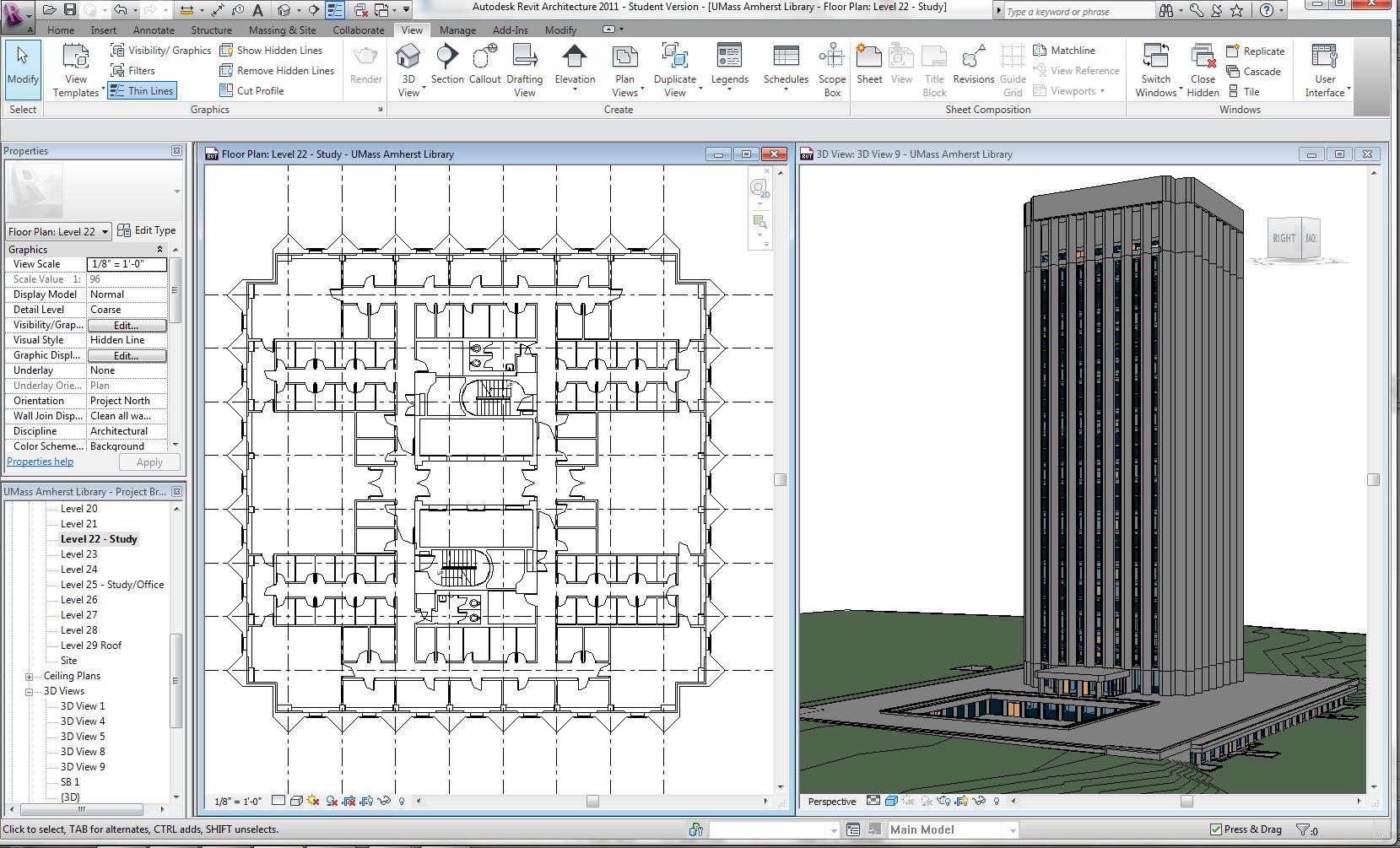
Interioreview, utilized PKNail Pro, an add in to Revit, combined with Leica Disto D8 laser range finders as the main surveying tool and software for capturing and modeling the 28 Story DuBois Library at UMass Amherst. The structure designed by Durell Stone in 1966 is tallest library in the United States. While intially considering combining LIDAR and creating a pointcloud for the exterior and utilizing PKNail Pro for the interior it turned out the exterior was the easiest part of the job and it was interior that was the most difficult. Every 3rd floor contained 90+ rooms with study carrels combined with classrooms where very few technologies would work well. Nico Martinez, a Project Manager with Interioreview, commented,”Without PKNail the survey work could have taken 5 times, 10 times what it was.”
The project was completed to support the design and retrofitting a fire protection system.
Interioreview, an architecural surveying firm founded in 2003 specialzies in documenting the built environment in both 2D CAD and 3D Revit formats.
PointKnown, a software firm, founded in 2008 develops productivity tools for the built environment / AEC (Architectural, Engineering, and Construction) Industry
PKNail Pro, allows a user to measure and model objects in real time directly in Revit.
Autodesk® Revit® software is specifically built for Building Information Modeling (BIM), helping building professionals design, build, and maintain higher-quality, more energy-efficient buildings.
Current Technologies for Reality Capture : #Revit #BIM #AU2011
Por Jim Foster - BIM, Built Environment, New Technologies - December 14, 2011
I was at the recent Autodesk University in Las Vegas and sat in the session for Reality Capture for Rapid Energy Modeling by Jess Miller who discussed the current technologies and work flows to document existing buildings digitally in Revit. As it stands the 4 available today are:
- Satellite Imagery
- Laser Scanning
- 123D Catch (aka Photofly)
- PKNail Pro
All of these technologies with the exception of PKNail, yes I do have a horse in this race, require a user to extract geometry from one program and draft in another. PKNail allows a user to survey and model directly in Revit. However, the most important task is choosing the right tool for the job and usually this is driven by the scope of the project/deliverable, what the model is going to be used for, and conditions and access of the building. First, let’s look briefly at the current technologies and how they work.
Satellite Imagery
this requires getting oblique images from a source such as bing maps or Pictometry, that then can then be scaled and traced over in Revit. While it could be the least expensive of the methods it is generally a lot less accurate, requires something that allows you to scale the photos properly either on site measurements, existing plot plan, or CAD floor plan and any real details will not be included. This might prove to be an okay method to extract geometry for energy modeling but the model would end there, you could not use it to move forward with an architectural model. Additionally, it requires a sophisticated users knowledge of Revit through linking photos and extracting geometry.
Laser Scanning.
This is generally done as a service, that is you hire a company who has a laser scanner to create a pointcloud of the building you need. Estimates range from $3-$5K per day to have someone scanning a building. I know from experience that I have been quoted almost $60,000 to scan the exterior and interior of a single story industrial building and that did not include the Revit model we needed. We would have to build that ourselves from the point cloud. However, if you need an accurate 3D data set of an existing structure it is an excellent resource. You will need to import the pointcloud into Revit and trace over it to create the geometry making it at least a 2 step process. There are some technologies available such as Imaganit from Rand Technologies that will allow a user to extract some geometry to Revit but it is still a manual process. I have seen excellent use of this technology is extensive exposed MEP projects, think boiler room or oil rig, or difficult and inaccessible geometry, such as the Capitol Dome.
123D Catch,
is a program that allows you take pictures of building, send them up into the cloud and have them stitched together and served back to you as a 3D Photo model that you can then scale and extract geometry from. I have not had success using this product. I want to be successful using this product because I think it would be awesome but the few times I have sent something up to the could I get back something that looks like I am looking through a kaleidoscope. I highly recommend you take a look because as the technology progresses and computers get more powerful this will only get better.
PKNail Pro for Revit,
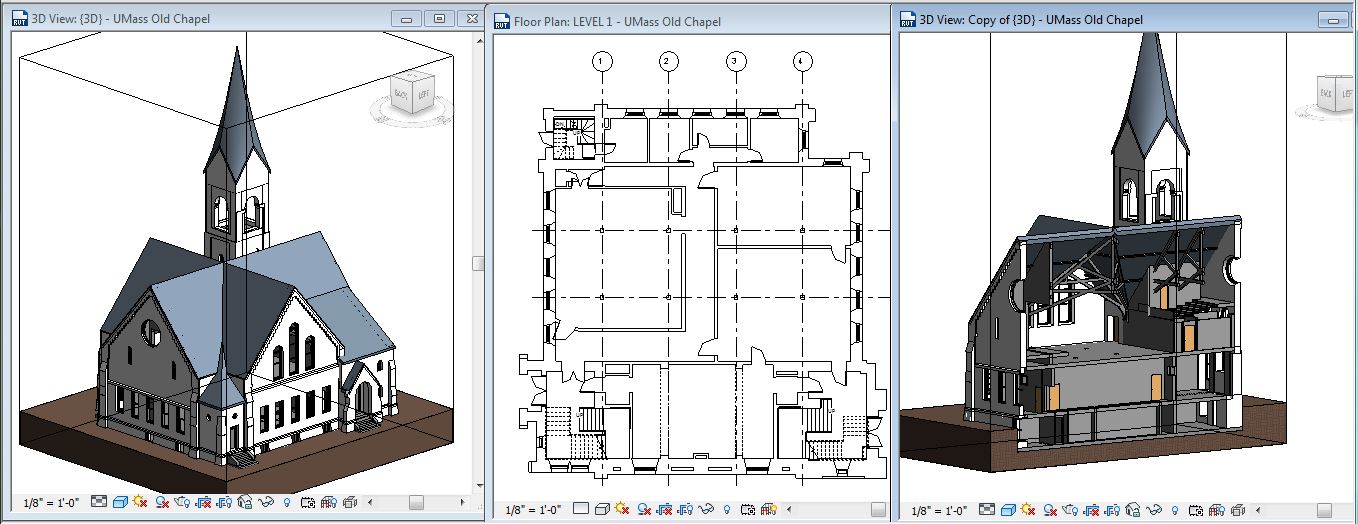
this is an add in to Revit that allows you to create real Revit objects, driven wirelessly from laser range finder (Disto D8) and from measurements in the field. That is measure wall, press a button and the wall is created directly in Revit. This is the only software that works within the actual BIM software so there is no need to translate or extract geometry. PKNail Pro automates current workflows and data capture and allows a user to finish the model on site. It excels at creating dimensionally correct 3D models of the both the interior and exterior. However, if you need a lot of exterior detail you may want to pair it with another of the technologies to create gutter sweeps, cornice work, etc. if that is needed on the project. PKNail also recognizes any Revit wall so you could another technology/method to create the exterior and use PKNail Pro to capture all the interior fit outs.
What it boils down to is what is needed based on the scope of the project and your budget. Choose the right tool for the job and don’t limit yourself, because who wants to use a hammer when you need a screw driver, or use a jackhammer when you need to hang a picture. I’ll work on my metaphors, you work on capturing reality.
Deerfield Academy gets Nailed : PKNail captures existing buildings directly in Revit : BIM
Por Jim Foster - As Builts, BIM, Built Environment, Existing Conditions - July 27, 2011
So we have been working on PKNail for close to forever. Its intent is to capture existing conditions in Revit quicker, easier, better, faster etc. In theory, simple idea. In practice, much tougher. The product was born from my Architectural Services firm, Interioreview and from the need in creating a product/process that creates repeatable results. Have the knowledge in the software rather than with ‘Bob’. PKNail aids someone on the ground capture key data and tie out the model/dimensions on site rather than having to collect data and then sit in front of a computer off site hoping the whole thing goes together right. Using Interioreview as a skunk works to continue testing PKNail in the field to go against real world situations, fine tune features and in general try to break it so it will be rock solid when it hits the field. We have been persistent in our goal. I read somewhere recently that the first 90% takes 75% of the time, the last 10% takes the other 75%: It would not be unfair to put us squarely in the this math challenged adage.
Until recently when using PKNail in the field we also used products/techniques side by side to capture the same information. This was so we can compare results and make certain we never get hung up. However, I am proud to say we started and completed a complex project using only PKNail in the field to capture the majority of structure, walls (exterior/interior partioning/etc.) windows, doors, etc. PKNail allows a user to communicate/drive Revit wirelessly through a bluetooth enabled range finder. That is, press a button to measure a wall, take measurement, press another button and the wall gets built in Revit, add a window, door same things, move room to room, floor to floor. Can it help you put in complex gutter or roof sweeps? No. Can it it help you knock out structure and jump start your project, you bet.
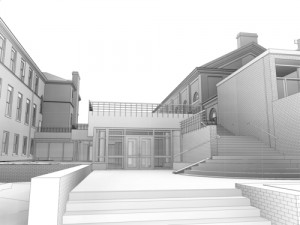
The Deerfield Academy Arts Center is a series of interconnected building design/built over the past century. Incorporated into the strucutre is an Art Gallery, Theatre, Studios, Auditorium, Architecture Studio, etc. PKNail was used to capture the shell/exterior of the building and then used to move inside the structure to capture all the wall partioning, doors, etc. The exterior detail was modeled back in our office from field data, like stone work, exact window profiles and roofs.
We’re Going Inside : Buildings and BIM
Por Jim Foster - 3D, Built Environment, New Technologies - August 20, 2010
New technologies have developed around the capture capture of existing buildings in a digital environment. Laser Scanning comes first to mind, and now Photofly from Autodesk, however, these seem to best address the exterior of the buildings and are used in particular circumstances that warrant them. Now comes the backpack scanner, and thanks to Erik Lewis and his blog Who’s Afraid of the Big Bad BIM for bringing it to my attention and I’ll quote him here:
“Incredible. Between PKNail and emergent technology like this, I see a real future in gathering existing facilities information into BIM databases…”
Laser Backpack Creates Instant 3D Models
Very cool.