Archive for category 3D
SLAM : A Revolution in Building Surveying & Documentation
Posted by Jim Foster in 3D, BIM, Built Environment, Existing Conditions, New Technologies, Open Engine, SLAM on October 3, 2016
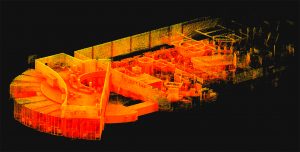 SLAM technology. SLAM, besides sounding rather cools stands for ( Simultaneous Localization and Mapping). And this is is an evolution in the creation of point clouds. Why? SLAM technology allows a user to walk through space, and in essence, create a continuous point cloud of an entire space. Previous technologies require a machine to be placed on a tripod, and continually set up in different locations. To get a full ‘picture’ of whatever you are scanning separate scans have to be ‘stitched’ together, which is not as automated a process as you might imagine. While Leica continues it onslaught of proprietary products and continuous scanning with its Pegasus systems, SLAM is based on open standards and researched extensively through the robotics industry. Off the shelf technology in the form of Hitachi Lasers, Rasberry Pi Processors and the like will start to open up new devices and allow new manufacturers to enter what has been a highly technical and closed field.
While SLAM devices do not have the high fidelity of HDLS, it does allow for some pretty excellent data collection that is typically at a level needed for most building documentation, leaving highly specific / detailed tasks for the more heavyweight scanners, think exposed and extensive MEP, physical plans, historic documentation/reconstruction. Personally, using SLAM devices in combination with our PKNail Pro allows us to move through spaces quickly, efficiently, accurately capturing building geometry with both systems and creating dimensionally accurate Revit objects on the fly with PKNail Pro. This allows us to get in and out of space with minimal interruptions, and allows for quick turn around which is great for building owners/investors through due diligence, BOMA calculations or looking to repurpose/reprogram a building. Recently, we were in and out of 300,000SF of tower in Wilmington Delaware in less than 36 hours.
While SLAM allows for the quick collection of data, interpreting, understanding the data and turning the data into usable documentation still remains very much a craft process. Too many times I have seen a product, such as a Revit model, turned out by groups who fail to understand how building are put together and designed which eventually turns into a product that confuses and confounds the people/architects who need to use it. In the next post I hope to dive into this process vs. product a bit deeper.


Pointknown / IR Captures and Models NYC Building Icon in Revit
Posted by Jim Foster in 3D, Existing Conditions, New Technologies, Revit on November 25, 2014
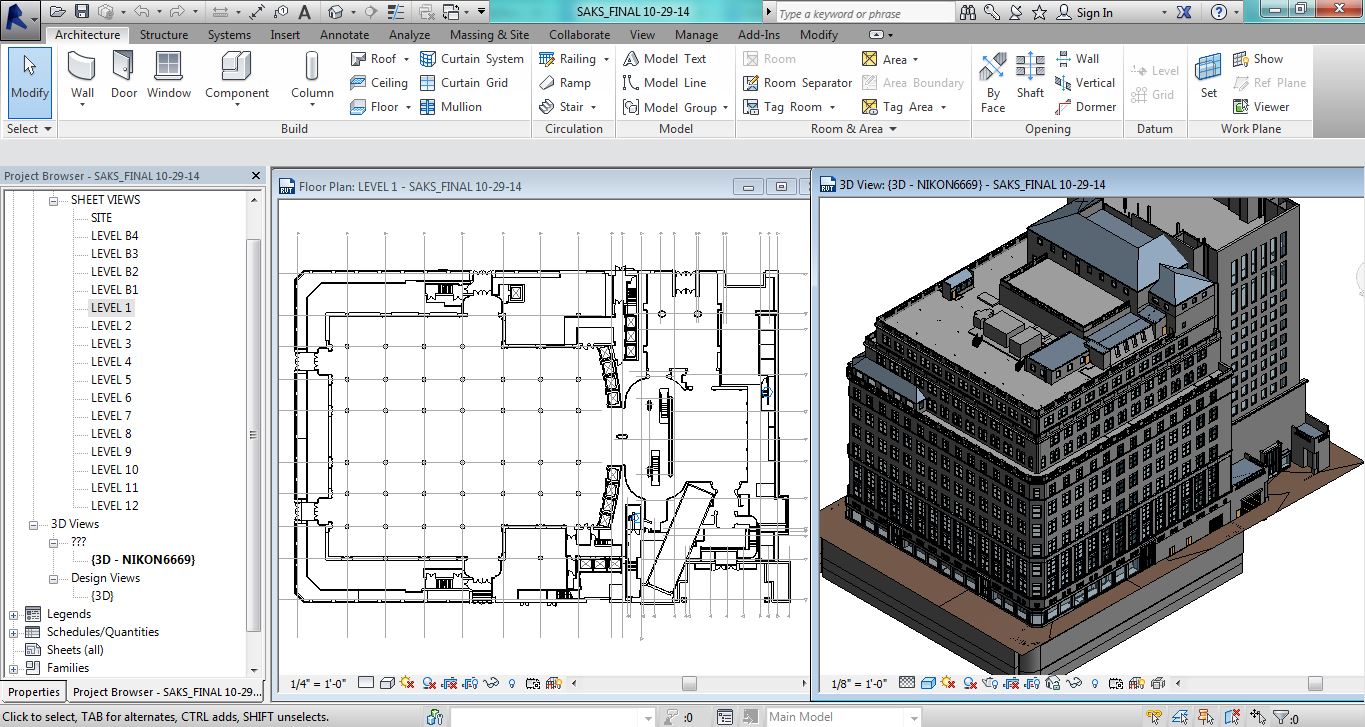
Pointknown / IR captured and modeled the Saks 5th Avenue Flagship building over the summer. The building, located at 611 5th Ave NYC, was just refinanced and according to the New York Times valued at $3.7 billion dollars. That’s over $1 billion more than Royal Hudson paid for the entire company last year. The survey and modeling teams used a variety of technologies including LIDAR, its own PKNail Pro and Revit from Autodesk worked throughout the night so not to disturb its clientele and associates. Working through Rob Siegel, now the Design Director at Gensler Pointknown / IR created a full exterior model, shell and cores including the mechanical penthouses. Said Rob, “This is one of the best models we’ve ever seen.”
Pointknown and its sister company IR (interioreview) creates software for the capture and modeling of existing buildings, and provides the same as a service. It uses best in class technologies, whether off the shelf or custom software it designs itself. The companies are entrusted with documenting buildings like Saks 5th Avenue, the Royal Sonesta in New Orleans , academic building on UMass and Phillips Exeter campuses to your home. This December it will be continuing its work as part of the Phase III renovation of the Chicago Hilton. What can we help you with?
*******
Pointknown
support@pointknown.com
617.575.2222
3D Capture and Use : Not even at the Pong Level…..Yet
Posted by Jim Foster in 3D, New Technologies on November 17, 2014

We are still at the bleeding edge of the 3D capture technology. Even though LIDAR has been around since the early 60’s, commercialization of it remains small. Its projected market for 2018 is $515 million. What does that tell me? That’s ridiculously low. For perspective Facebook’s market cap is around $200b, EA Sports, the game producer for ubiquitous gaming technology is around $12b. Those are single companies not an industry. The total market for LIDAR, that is 3D capture of real objects is going to be $515M in 2018. Something else needs to happen to bring 3D to the main stream, and what’s happening now is the introduction of light weight inexpensive 3D sensors from a who’s who of technology companies. A partial list and by no means exhaustive.
- Intel Real Sense Technology
- Project Tango from Google
- Structure io
- Kinect from Microsoft
- Paracosm
- Meta io
- Autodesk 123D Catch
- Acute 3D
- Photosynth
- PrimeSense – Acquired by Apple
And from the way back machine:
Pong, the granddaddy of all video games was arguably the first commercial/consumer success of the gamification of a piece of hardware and its enveloping logic, in the case of pong it was TTL (Transistor – Transistor Logic ). So what’s important to note here is the players now involved in the introduction. Intel, Google, Microsoft, Apple…….. We have the introduction of the hardware and their SDK packs for developers. The next stage will be most interestin; .the software, the games, the apps, the big easy. The other technology beyond these new sensors and LIDAR in most use; photographs. Right now I see in the market a lot of people taking pictures of statues or people, turning them into a 3D Digital object and then maybe printing them out on a 3D printer, I don’t see that as a viable business model, personally I don’t want a 3D printed object of anyone I know and to me it borders on ventriloquist dummy creepiness. However, we need to go through these stages to get to whatever breakthroughs and or commercial successes there will be in the future.
3D printing is moving rapidly, if not into the mainstream, into real uses. The 3D printing market is estimated to be $16.2 billion in 2018 comapred to $2.5 billion in 2013. That is 30x the expected LIDAR market. Why? Companies are printing machine parts (cars, airplanes, etc.) there is movement toward biological printing of food/meat and body parts. So really the mass customization of things where before making one of anything could cost thousands of dollars. I recall prototyping parts through CNC machining or SLA cost at a minimum hundreds of dollars and for bigger parts easily thousands and up. At back to school night this year they had amakerbot set up in the High School lobby and would print out key chains with your initials for a $5 donation. Holy What? Really? How about 3D printing a partial titanium skull to help someone after the original was smashed in an accident. But 5 bucks for a custom printed 3D object?
So what’s the next step in the 3D scanning world now that people can start getting them in their hands for hundreds of dollars, opposed the LIDAR systems that start around $50K. You and your friends scan your house and drop it in as a map pack for Call of Duty. 3D virtual tours of the Louvre. 3D estimating of car damage…….I’m really not sure but I am sure there will be plenty of people working on it. Making the capture and use of 3D easy, that will be the magic trick. Why you might want to is a bigger question. What do I need 3D data for? For real estate? Who is ever going to buy something without physically seeing it. To quote a commercial broker when I was doing some biz dev, “I get them in the car and show it to them…” Remember the broker business is intensely personal so A) they want technology to help them not replace them and B) I am not sure having great 3D imagery is going to sell it. Maybe as part of the tenant fit out allowance they get 3D Design services, or as part of the negotiation you show them what it could look like with their allowance…..I would be really interested in what people think about this subject beyond it’s cool.
****
For something cool, check out the video posted for Mok3 above, Yonald and his cohorts had figured out a way in 2003 to take pictures and turn them into 3D environments., the world is still catching up.
Handheld Scanning for Architecture Gets Real….Google Enters The Picture
Posted by Jim Foster in 3D, New Technologies on March 4, 2014
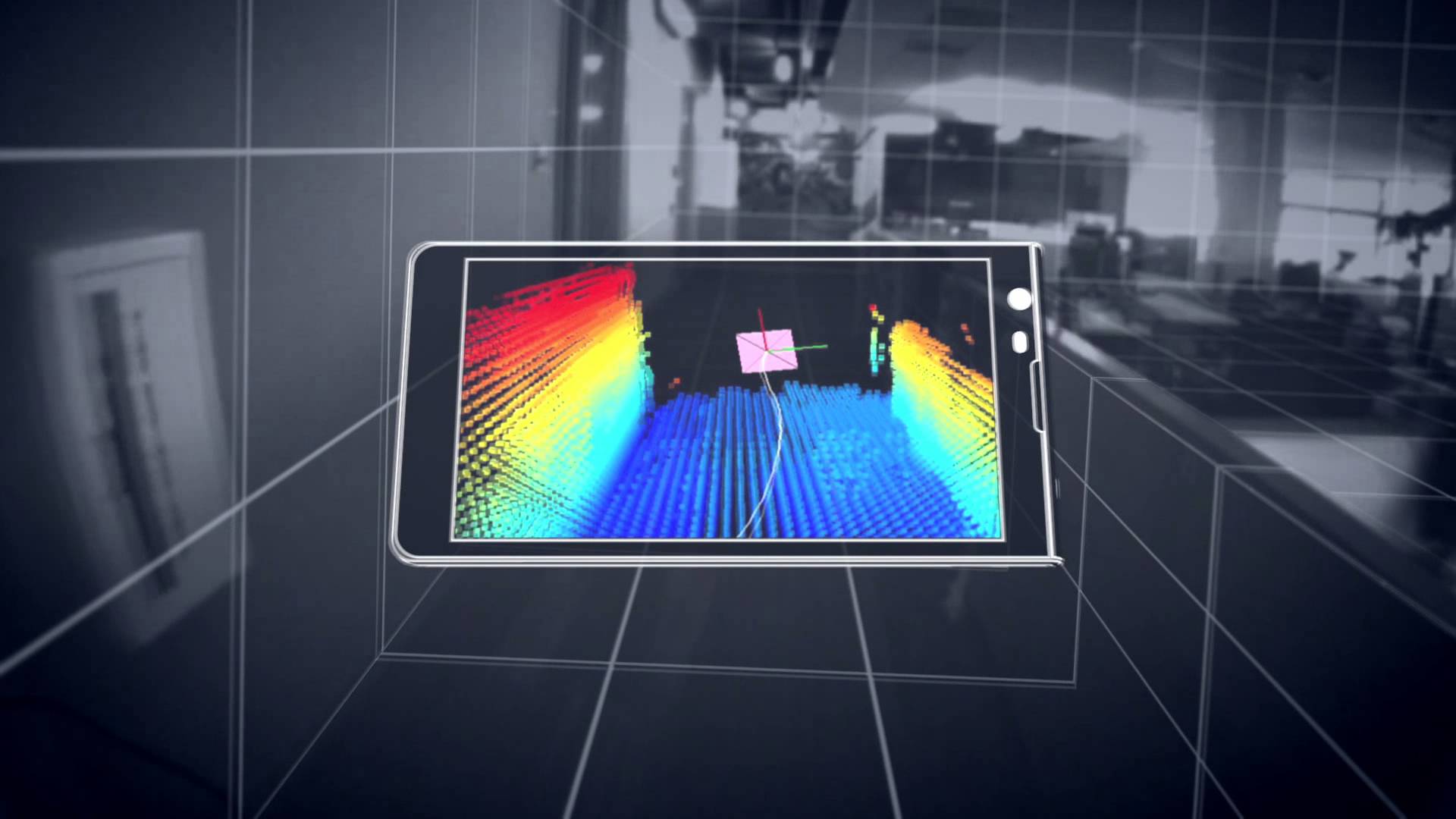 The jigsaw pieces are starting to fill in with google’s Project Tango , and the structure.io sensor. Capturing existing buildings has never been an easy task, as much as the purveyors of existing scanners would like you to believe otherwise. Current laser scanners are expensive and the process was usually too much, too much effort, too much expense for most projects. Additionally, since the entry price was so expensive and each scanner has its own proprietary software, lack of open standards slowed innovation; but here comes handheld devices starting at around $400, and an open source universe that lets a universe of people to start working on current problems. Paracosm working with Project Tango looks like it has come up with a crowd sourced platform to put together fuller models of buildings from multiple people/scanners.
From the videos and data, and although everyone admits it’s early. A regular Joe can walk with a handheld scanning device and capture their world. Allowing for the crowd sourced, user generated 3D mapping of the world. Besides the eery feeling that the Matrix was more prophetic than fiction what can be done with all this cool stuff, what’s next?
It will be in the processing of this data and digestion of it that will make it launch to the next steps. Typically the hurdle of laser scanning is going from scanned data, to data that people can use. Think of scanning this stuff….cool. To floorplans and 3D walk throughs for realtors. So if a realtor can take a $300 handheld scanner, walk around a home or apartment, and have it simply turned into a walk through tour and dimensioned floor plans of a home, excellent. Share those floorplans with a carpet installer for a price, great.
Before scans and point clouds were expensive to attain it looks like the price is about to drop dramatically. Dramatic price drop, easier to attain, increased supply. Increased supply, bigger market. Bigger market, more people. More people, more better. We are just at the start. There will be a lot of companies starting to fill in ways on how to capture and deal with this data and since the world spends about $8 trillion on construction alone there will be room for players. You’re invited.
5 Firms Converge on New Orleans to Document The Royal Sonesta
Posted by Jim Foster in 3D, As Builts, BIM, Built Environment, Existing Conditions on January 16, 2013
 “Jim your a go….” 2:40 PM, New Years Eve 2012. Text from our client; Mark at Looney & Associates
Our work window was January 3rd through January 9 2013. Travel arrangements and team needed to be assembled for flights in two days. The only thread holding this together was PKNail Pro.
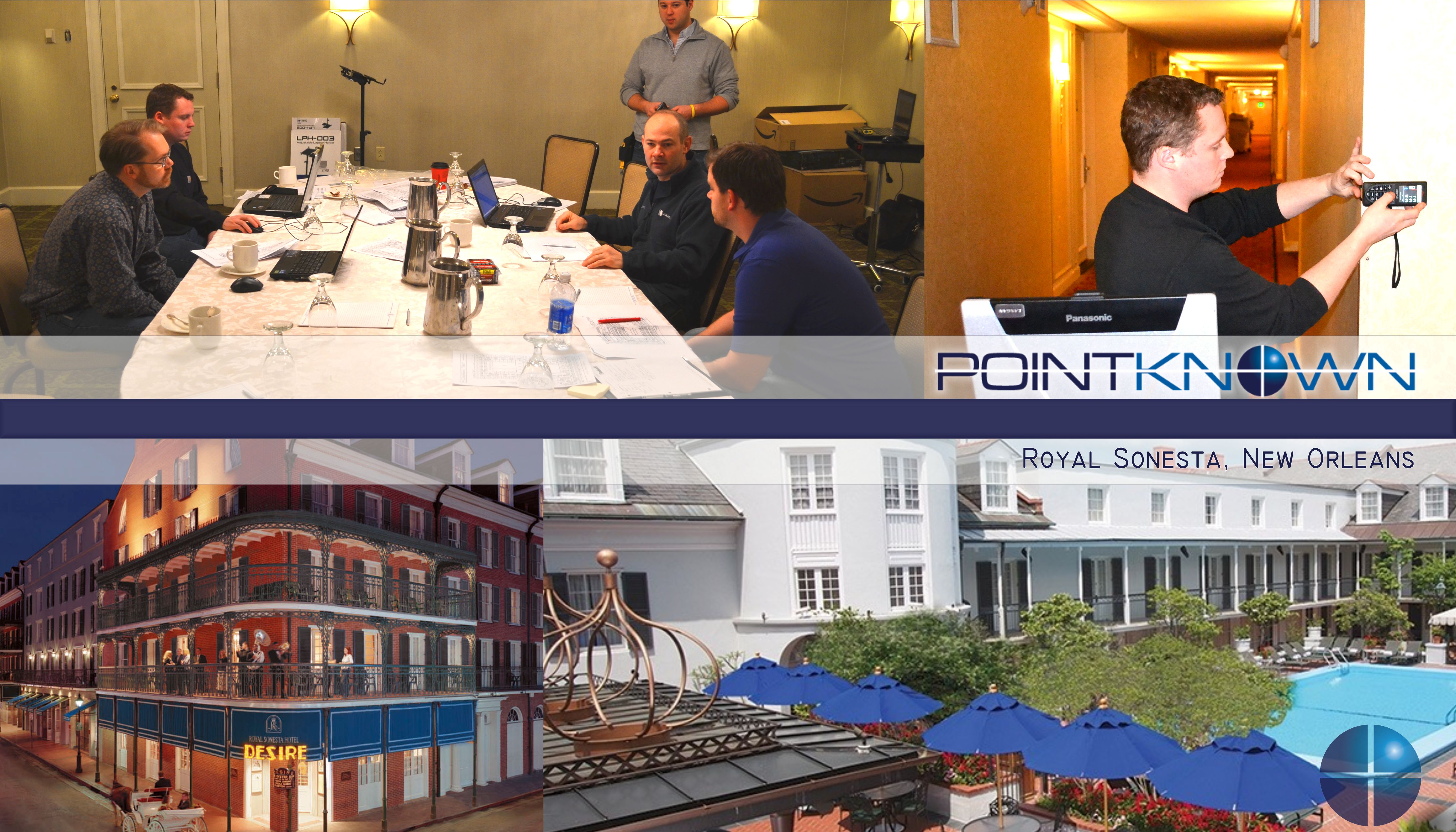
Team members included individuals from Langan Engineering, Turis, TrueScan3d, LandAir Surveying and my company Interioreview. The Job: Survey and Document Floors 2-7 of the Royal Sonesta Hotel, 300 Bourbon Street. Include structure, electrical objects (Duplex, Com Ports, Thermostats, Wall Lights, etc) and Fire Protection. 450+ Rooms, Common Spaces, Administrative Spaces, +200,000 SF. 1 Week. From Blank Screen to Floorplans and RCP.
“This is innovative stuff…”, Greg Jensen, Langan Engineering
“…Boom, your done.” Brady O’Brien, Turis Systems
“This certainly opens the door for future teaming efforts, and we’ve already begun to push PK Nail on some of our interior projects – integrating it with scanning and traditional survey.” – Paul Fisher, VP Langan Engineering.
This project could not have happened without the participating firms willingness to deal with such a tight deployment deadline and with the excellent individuals that arrived in New Orleans. It also could not have happened, and I do have a horse in this race, without PKNail Pro and Revit. There was simply no other way to coordinate multiple personnel field surveying without both. We were able to deploy resources as needed since everything was being surveyed and modeled in real time. 4th Floor, South Wing, Greg get on it. Brian, 2nd Floor with Nico etc. This also allowed us to create a punch list in real time. Reflected Ceiling on 3rd Floor, etc. as all the files were compiled daily, if not more often into a central file. Although the deliverable will eventually be in 2D Autocad, all the initial documentation will be in Revit, so even though it was not part of the scope, we will be able to deliver a typical section through the building with only a small post processing effort.
Lastly, thank you to the good folks at The Royal Sonesta, New Orleans for treating us so well. They understand hospitality and have a great team.
More and more firms are relying on PKNail Pro for documenting buildings whether they need the final deliverable in Revit or 2D Autocad. PKNail Pro can deliver.
3D Model with photos from your iPad
Posted by Jim Foster in 3D, BIM, New Technologies on May 9, 2012
 Autodesk announced the release of 123D Catch for the iPad. I have not yet tried the iPad version, but assume it’s mostly the same since before you chose the photographs to be sent to the cloud, and now it is sending photos you are taking from the iPad. One of the criticisms I had with it before is that you had to follow a very particular way of taking photos, which apparently I was not very good at because all my results came back looking like a kaleidoscope. However, everybody is looking for an iPad app/strategy these days and this helps. And if you get good at framing the pictures, using this on site to get basic 3D geometry, most likely for massing purposes or some initial energy analysis, well that’s very cool.
Autodesk digging into the Built Environment : Augments ‘Reality Capture’ Stable by acquiring Alice Labs
Posted by Jim Foster in 3D, BIM, Built Environment, New Technologies on October 18, 2011
 80/20, the amount of construction projects that happen in the built environment vs. new construction, at least here in Boston and this is usually the case across the globe, maybe not 80/20 but having the majority of construction happening in the built environment. So if you’re Autodesk and you have all this great software, you can no longer presuppose the data, you are going to have to capture it somehow.
Autodesk put another arrow in their ‘built environment’, ‘as built’ or soon to be trademarked “reality capture’ quiver by acquiring Alice Labs. As reported in Graphic Speak, Autodesk Scoops up 3D point cloud innovator Alice Labs. And if you go to the Alice Labs website, all you get is a splash page saying they have been acquired by Autodesk, and no press releases from Autodesk either. Why not? Autodesk is like the borg, well I can’t comment on the assimilation part, but as far as sucking up cultures within their universe, no problem. So why not let people know.
The small team, closely related to ongoing research at technical universities in Delft, Netherlands and Ghent, Belgium, has previously released Studio Clouds, an innovative 3D laser point cloud editing technology that offers plug-ins for Autodesk’s 3ds Max and Maya modelers, and uses a proprietary game engine for fast manipulation of point cloud data…Behind the application is the Mirage Nova Engine (MNE), said to be capable of handling billions of points with ray-trace visualization quality. NME also offers a photogrammetric tool, offering an affordable way to generating high fidelity point cloud models from photographs. MNE is designed for 64-bit multi-core architectures and can take advantage of graphic card acceleration for maximum speed. -Randall – Graphic Speak
Either way, Autodesk is interested in getting you working in their software whether it’s for new construction or the the built environment, designing retrofits or modeling New York for gameplay. If it’s a 3D environment they want to put you in it, and Autodesk wants to be the transporter…Kirk Out <end cheesy Star Trek word play>
Leica 3D Disto : You want answers? I got answers.
Posted by Jim Foster in 3D, As Builts, BIM on July 20, 2011
 So if you wonder if this social media stuff works, if blogging is worth it, well my recent post on the Leica 3D Disto wound up on the Leica shore and John Anderson from Leica GeoSytems was kind enough to answer some of the questions I posed. So those of you who were sitting on the edge of your seat. Here ya go.
Why not include bluetooth as almost every laptop, netbook and the new iPad comes with it and seems a glaring omission.
Leica– The interface between the hand held control unit and the 3D DISTO is via WiFi on a dedicated IP address. (You can not tie into the local network and use it that way) The user can select between various channels if there is a conflict with an existing one in the work space and multiple units can be used on the job site together. WiFi was selected for its stability, range, and bandwidth. The software is Leica proprietary and only runs on our hardware however, we can provide the GSI interface to software partners wanting to incorporate the hardware into their specific applications.
How about if it came with an ‘app’ for iPad and Android instead that could drive instead of its own proprietary piece of hardware.
Leica– The 3D only operates on Leica supplied hardware and software. It controls movement, laser, camera, and all software functions including calibration and tilt sensor controls. The wide scope of functionality provided by the proprietary interface was multiple man years work, and it comes with proven Leica quality and stability.
I wonder if you can move it around in the same room because most rooms I know of are not completely open with shots available to every point you needs, and how you would coordinate points for integrated output?
Leica-Yes, most definitely. We include a function called “Secure Location” where the user measures 3-5 points that are visible from the current and proposed position. You can then pick up and move the unit or continue the job tomorrow or next week provided your Secure Points have not moved. A picture is captured of the secure points at time of measurement so that they are easy to reference later on. Additionally, if you want to confirm the unit has not been bumped or moved, there is a “Check Location” feature where you select the image of the secure point and then the 3D will put the laser on the target. If the laser is off target then you know it’s been moved and you can run the Relocation program to correct for the new position.
There is some software available called ‘Room Scan’ but have not seen enough of it to know.
Leica- Room Scan is the primary drawing interface. You can scan horizontal or vertical points plus measure single points using the laser and view screen. When completed, you can export a DXF and view a 3D rendering in most viewers or cad types of programs. There is a great demo of the scanning aspect of this at http://ptd.leica-geosystems.com/en/Leica-3D-Disto_94606.htm Then click Videos tab and 3D room scan. Remember, the 3D Disto is primarily for measuring, recording, and projecting data points. Leica is providing the tools to gather data and export in a universal dxf, csv, txt file formats to the customers choice of application software. How the user manipulates the data after that point is totally up to them.
Okay, but what remains to be seen is this the fill in product between range finders and laser scanners that has found a niche? I now have another question? Can it provide a Room Outline at the specified cut plan? Inquiring Minds. Because that would be a super feature.
PointKnown cited in Autodesk Energy Modeling White Paper : BIM
Posted by Jim Foster in 3D, BIM, Built Environment, disto on June 29, 2011
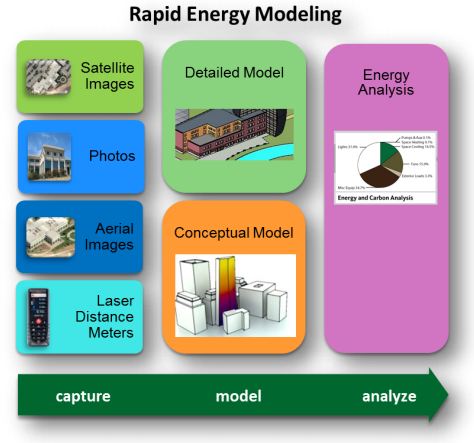 Autodesk has been concentrating on incorporating their energy modeling tools into their workflow, so much so, they are now calling it Rapid Energy Modeling and have outlined a variety of ways to capture a building’s geometry digitally so you can run it through their energy modeling engines. They outlined the following techniques/methods as the most cost effective for capturing exisitng conditions. Full paper available here: rem_white_paper_2011
Digital photographs
These are photographs of your building taken specifically for rapid energy modeling.
Aerial images
You can download oblique aerial images from Internet sites such as Google Earth or Microsoft®Bing™ mapping services. Alternatively, you can use images from commercial providers of geo-referenced aerial and oblique image libraries such as Pictometry.
Satellite images
Like aerial images, you can download orthogonal images of your building from sites such as Google Earth. RAPID ENERGY MODELING FOR EXISTING BUILDINGS
Laser distance meters
These low-cost laser meters are common surveying tools, and you can also use them onsite to capture key measurements of your building.
PointKnown was cited as the software to use when utilzing laser range finders and capturing a building in revit.
If you plan to capture existing conditions using a laser distance meter, you can use PKNail software from PointKnown (www.pointknown.com) to process those measurements and create a Revit model of your building. By inputting a few simple field measurements PKNail will build a Revit model of the existing structure, in the field, in real time.
This approach involves trained survey personnel that walk around the perimeter of a building and measure key points on the building. The PKNail software utilizes Bluetooth®-enabled laser distance meters to capture dimensional data in the field and send it directly to a laptop loaded with the Revit Architecture or Revit MEP. By capturing data in a specific sequence, the PKNail software creates a Revit model representing the skin of your building as it is being measured.
While we wait for the ‘magic wand’ that digitizes existing buildings while you walk through it, and when I mean digitize, I mean scaled, architectural objects that can be scheduled, processed, etc. more and more technologies are being developed to speed the ‘realty capture’ of buildings. The argument for using PKNail is that the exterior model you build is natively in Revit Architecture and if you want to move inside for interior wall partitioning, etc. for adaptive reuse, etc. you can do that all by utilizing the key pad interface and the laser meter.
Not changing the world just making your day to day a little easier, increase productivity, get more accurate, teeing it up so you can knock it out of the park.
Leica 3D Disto : Capture 3D Points for As Builts and Layouts : BIM
Posted by Jim Foster in 3D, As Builts, BIM, Professional Building Surveyors on June 3, 2011
I cannot pronounce much more than it exists as I have not had my hands on one, and the video included below seems to use it mostly for layouts, not for data capture. NAFTA Leica_3D_Disto_Word-Flyer1.0 . However, when Pointclouds seem excessive from a data and price perspective, and one needs to determine points on inaccessible or complex geometry, this could be the aspirin (does anyone take aspirin anymore) to that headache, or for that matter doing complex ceiling systems or even reflected ceiling.
So what’s on board besides the laser? Camera with 8x Zoom so you can see far off points and DXF input and output and while there is some more stuff that seems to be the most important and data transfer to anything else is via USB stick. Why not include bluetooth as almost every laptop, netbook and the new iPad comes with it and seems a glaring omission. How about if it came with an ‘app’ for iPad and Android instead that could drive instead of its own proprietary piece of hardware.
I wonder if you can move it around in the same room because most rooms I know of are not completely open with shots available to every point you needs, and how you would coordinate points for integrated output? There is some software available called ‘Room Scan’ but have not seen enough of it to know.
MSRP is set at $7995 so up to surveyors, etc to think if it is worth the price tag.
-
You are currently browsing the archives for the 3D category.


